



Travel expense claims made easy
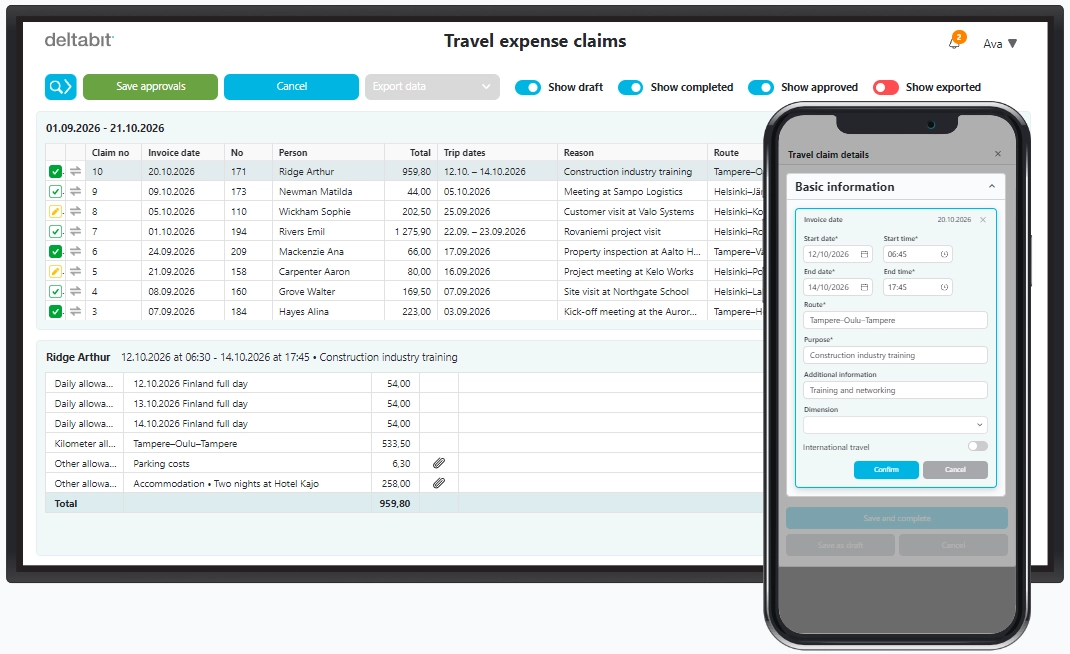
Create, review and approve travel expense claims easily on your phone or computer! Record daily allowances, kilometer allowances and other expenses, attach receipts and submit your claim for approval. Deltabit brings all travel expense claims together in one view, making them easy to process without piles of paperwork.
Email us at: info@deltabit.fi
Or call: 010 835 8550
Electronic travel expense claims save time
Submitting and paying travel expense claims can be a hassle and take up valuable time: receipts need to be kept, details recalled afterwards and missing information tracked down. When information is scattered, reviewing and approving claims takes longer too.
With Deltabit, you can start recording details during your trip, keep receipts and expenses together and complete your claim later. As an administrator, you can also create a travel expense claim on behalf of another person, view and review the details in one place and export approved claims for payment.
How to create and process a travel expense claim
Start with the basic trip information
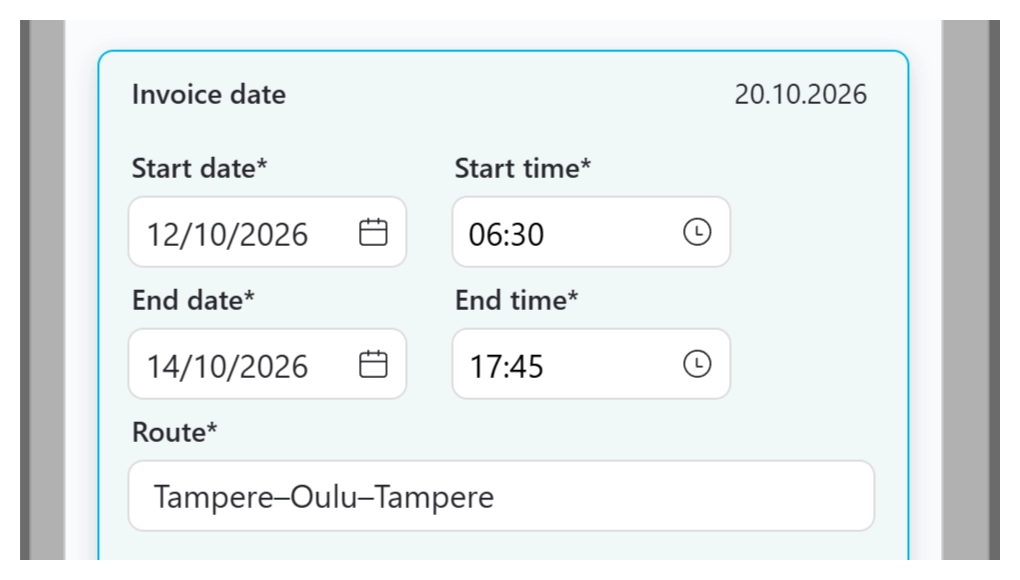
Create a travel expense claim on your phone or computer. Enter the start and end times, route and purpose of your trip.
Add any additional information needed and indicate if you are travelling abroad. Once the basic information is in place, you can add daily allowances, kilometer allowances and other travel expenses. All your trip details stay together, and you can complete the claim later.
Calculate daily allowances
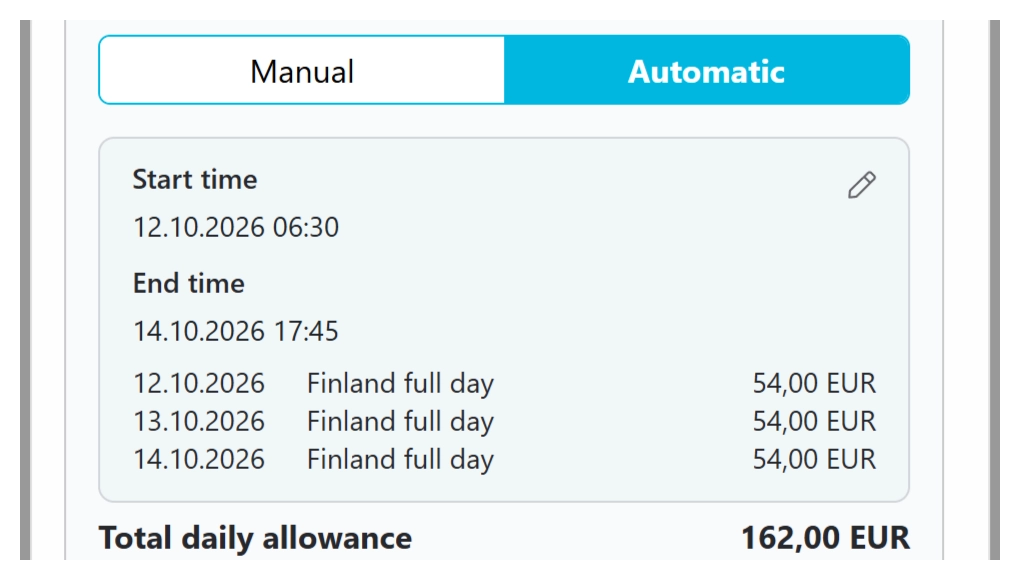
Add daily allowances manually or automatically. For manual entries, specify the allowances by country and day.
For automatic calculation, simply enter the departure and arrival times, destination and any stopovers. The system calculates daily allowances automatically based on the duration and destinations of your trip. You can also record free meals and overnight travel allowances at this stage.
Record kilometer allowances
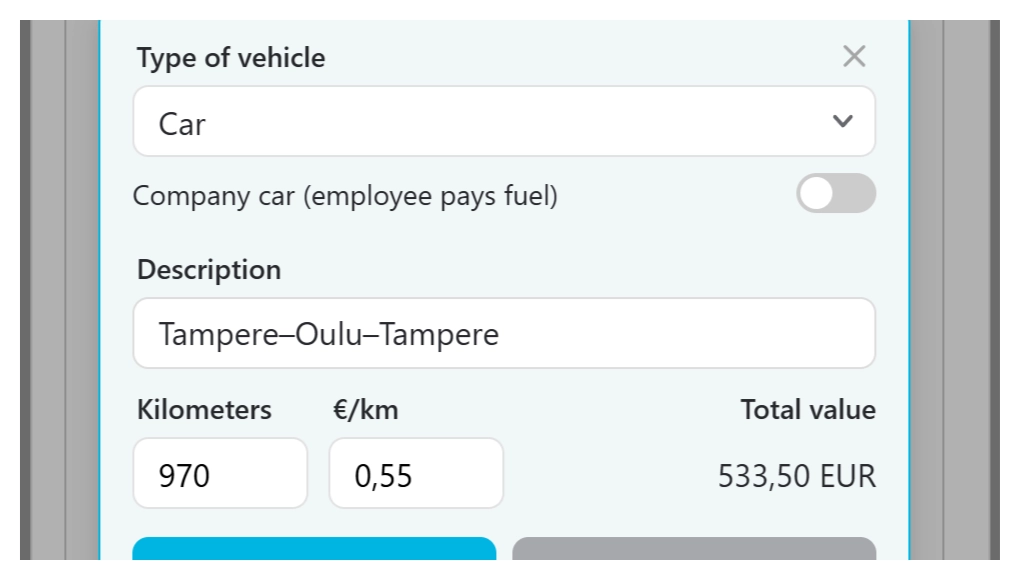
Select the type of vehicle, such as a car, and enter the kilometers driven. You can also add additional compensation approved by the Finnish Tax Administration, for example for passengers travelling with you.
The allowances are clearly displayed in the travel expense claim summary alongside the other expenses for your trip. This keeps all the information well organised.
Add expenses and attach receipts
Record domestic and international expenses. Attach receipts as files or take photos with your camera to keep expenses and receipts together.
The system automatically reads the expense type, quantity and price from receipts. Domestic VAT details are also saved. For international expenses, select the currency and adjust the exchange rate or VAT if needed.
Complete your travel expense claim
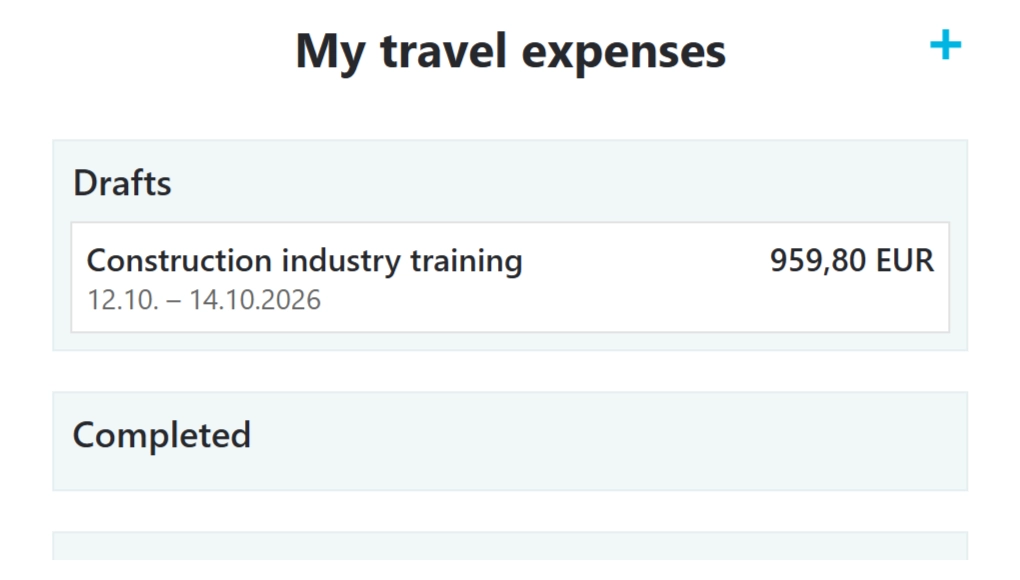
You can save an unfinished travel expense claim as a draft and return to it later. This lets you record travel expenses as the details become available.
Mark your claim as complete to send it to the approver for review. You can still check the summary to ensure all necessary information is included and the claim can be processed without further clarification.
Review and approve
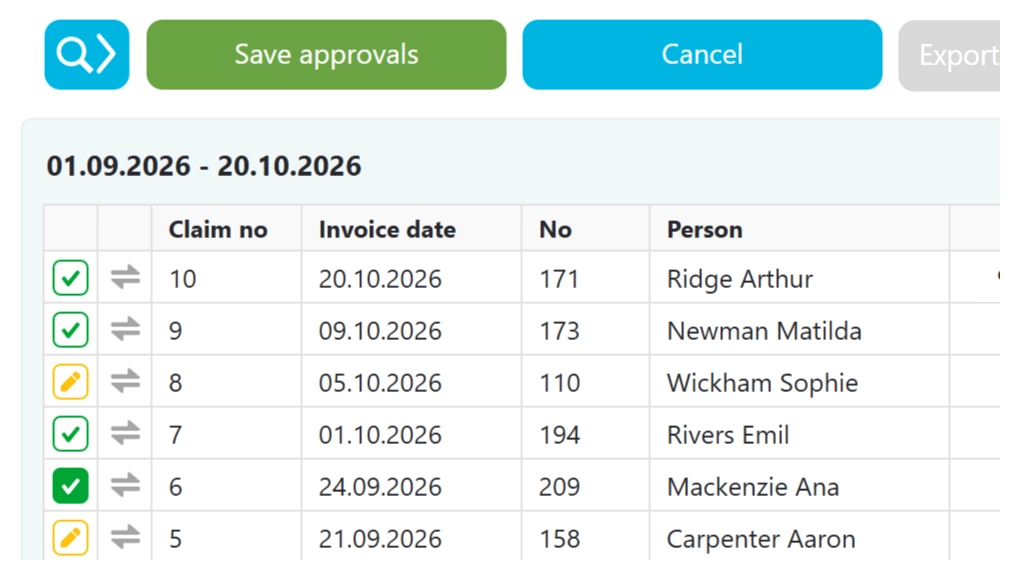
As an administrator, you can view all claims on the Travel expense claims page and filter them by status: draft, completed, approved or exported.
In the detailed view, you can review the travel expense claim summary and approve the claim. The key details are also shown in the same view. You can check individual details and open the claim for editing if needed.
Export claims for payment
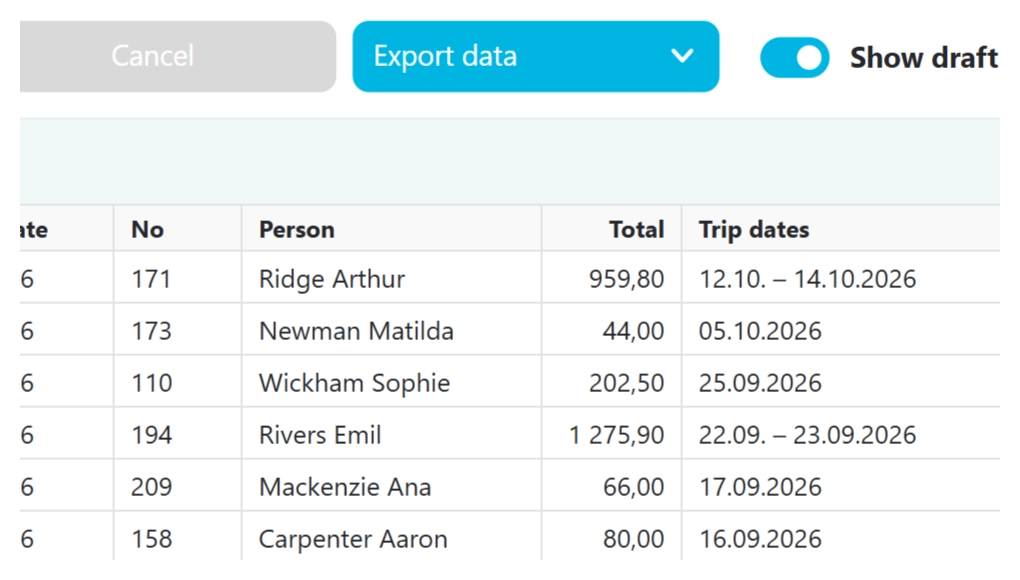
You can export approved travel expense claims to your payment system. If needed, you can also print a claim or save it as a PDF.
All the information you need stays together in one place, from the start of your trip through to approval. You can return to the same view later to check the claim details, review the amounts and view receipts and other attachments.
Travel expense claims as part of working hour monitoring
Travel expense claims are included in Deltabit’s Working hour monitoring Plus add-on package. It is part of the same software you can use for working hour monitoring, project monitoring, work shift planning, access control and attendance monitoring.
Pricing is based on how much you use travel expense claims and your company’s needs. The monthly fee includes Deltabit’s outstanding support and any necessary adjustments. Ask us which combination of features would suit your company best.
An easier way to manage travel expense claims?
When you create travel expense claims as you travel, the details stay safe and processing is straightforward. Get in touch! We would be happy to tell you more about how travel expense claims work in Deltabit.
Email us at: info@deltabit.fi
Or call: 010 835 8550