



Deltabit Gatekeeper now includes several updates that make work time tracking and work shift planning even more efficient. Here’s a quick overview:
- Two-level approval for recorded working hours is now available.
- Receive in-app notifications about reviewed events awaiting approval.
- Add individual shifts directly from the work shift planning view.
- Manage shift planning settings in your browser.
- Edit system settings and view registration buttons.
- More options are now available for data export.
- Absences now determined based on shifts.
- Edit user rights within the limits of your own permissions
Let’s dive into the new features in more detail!
Work time tracking now supports two-level approval
Work time tracking now supports a two-phase approval process: first, events are reviewed, then approved. This feature can be enabled per company in the system settings.
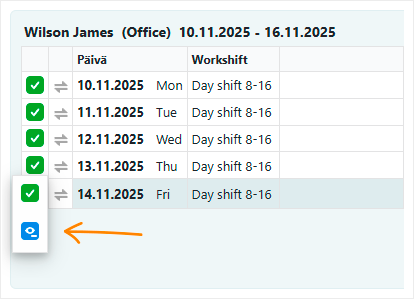
The approval icons have also been redesigned to be clearer and more accessible – taking color blindness into consideration, for example.
Filter and customize views more effectively
New filtering options are now available for working hour data. You can now filter based on approval status: unreviewed, reviewed and approved.
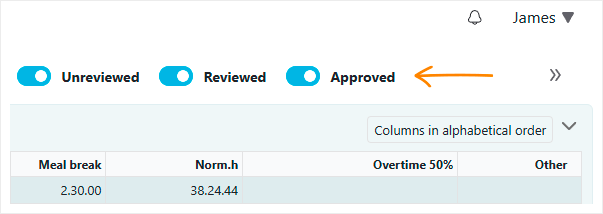
Search filters have been moved directly into the results view, so you no longer need to click the magnifying glass to adjust them.
If all filters don’t fit on screen, the extra ones are grouped behind an arrow icon.
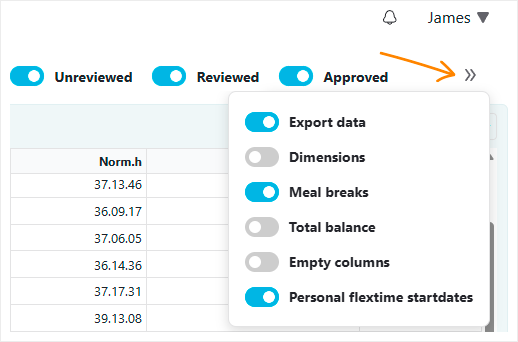
Additionally, the pop-up window opened by the “Show calculation periods” function is now movable on screen, so important information no longer gets hidden underneath.
Receive notifications of reviewed events
The system automatically notifies you when events have been reviewed and are awaiting your approval. Notifications are grouped by user group, making it easier to process them by team.
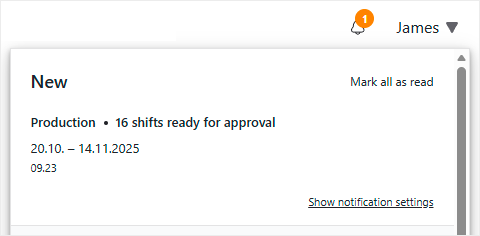
By clicking a notification, you can go directly to the view where you review and approve the shifts – especially helpful in larger organizations where notifications can be frequent.
Add shifts directly in the planning view
If your company frequently plans shifts for individual days, you can now add them directly in the work shift planning view by clicking the “+” button next to the date header.
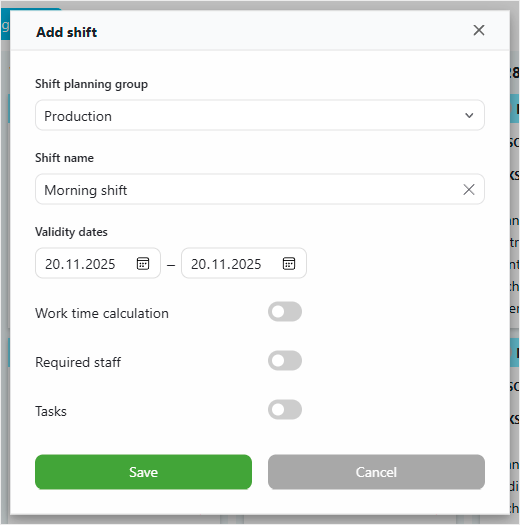
You can easily add shifts for single or consecutive days without leaving the planning view.
Manage shifts easily in the browser
You can now manage the shifts visible in the work shift planning view directly in the browser – no separate configuration software needed.
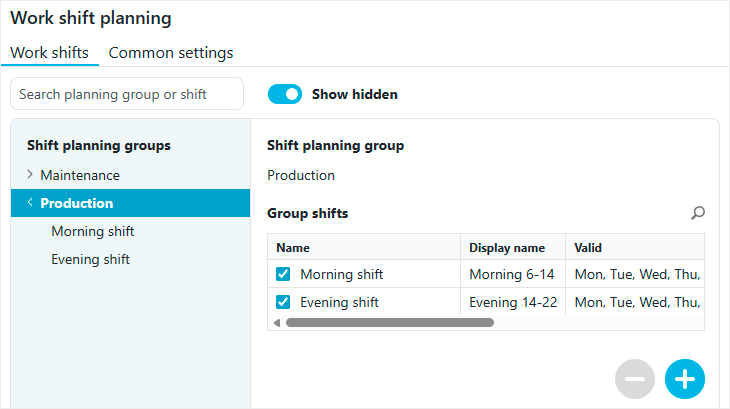
Unnecessary shifts can be hidden from the view and brought back when needed. Hiding or deleting a shift does not affect shifts that have already been scheduled.
You can also define a validity period for each shift, so for example, seasonal shifts are only shown during the defined timeframe.
Edit system settings – but with care
System settings can now be found under the Settings page. If you have admin rights to system settings, you can edit the settings without contacting us.
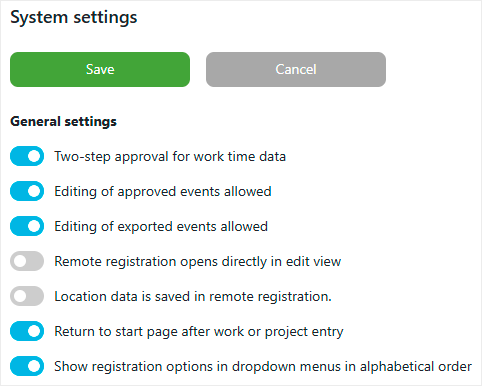
However, if you’re unsure about any changes, we recommend reaching out to our support team – we’re happy to help.
View buttons in the settings
From the browser settings, you can now view which buttons are shown at different identification points and for each working time group.
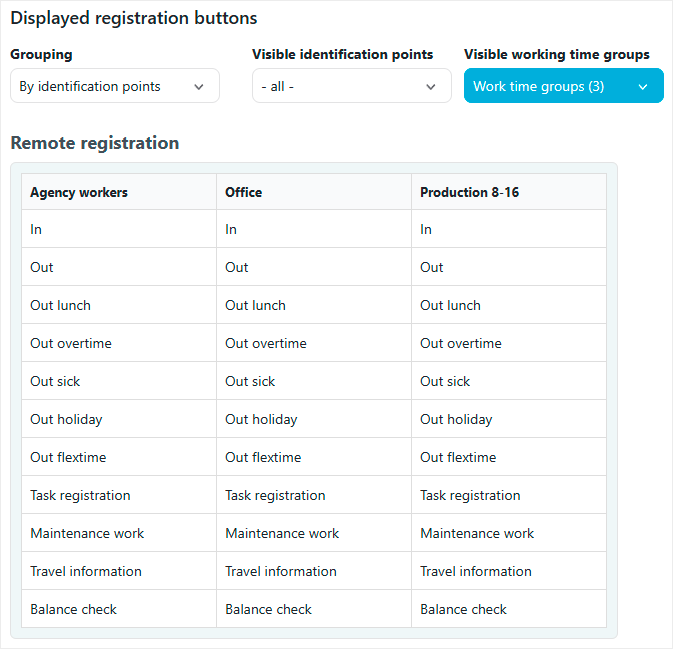
This gives you a clear overview of which punching options are available to employees on time recording terminals or when recording remotely.
Let systems communicate through interfaces
The first version of the Deltabit API is now available! If you have some coding skills, you can automate the transfer of persons, events and balances from another system to Deltabit with minimal development effort.
The traditional import feature has also been enhanced: you can now import projects from external systems – Netvisor integration is already supported! This keeps data up to date and reduces manual work by eliminating double entries across different platforms.
The new Fennoa API enables the direct transfer of working hour data from Deltabit to Fennoa. Previously, this required creating and importing a transfer file – now, those extra steps are gone.
Smooth system integration saves time, effort and reduces errors.
Absences now determined based on shifts
Automatic tracking of absences is now more accurate. From now on, a day is considered an absence if no work shifts are scheduled for it. Previously, only days with no events at all were interpreted as absences.
At the same time, we’ve refined how night shifts are handled: now a night shift affects absences only for the day it is shown on in the report. Previously, a night shift prevented an absence on both the start and end day of the shift.
Edit user rights within the limits of your own permissions
The management of permissions on the Persons page has been improved. Previously, editing other users rights required full administrative permissions. Now it’s enough that you also have the permission you want to assign! If you’re missing a permission, you can’t grant or remove it from others either.
In the system settings, you can also define which rights new users are granted automatically. This speeds up daily tasks, as the most commonly needed permissions are instantly available, saving you from assigning them one by one.