



The Deltabit work shift planning view has been completely redesigned – it’s now clearer, more spacious, and even more enjoyable to use. With the update, planning shifts is smoother and easier to grasp.
There are both brand-new features and improvements to existing ones:
- The redesigned view is lighter and easier to use.
- Filtering options are now all in one place.
- A new person search speeds up finding the right person.
- Messages appear as a speech bubble next to the person’s name.
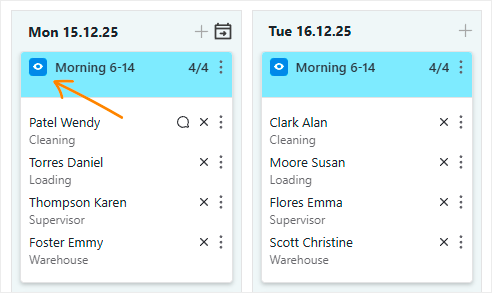
- An eye icon shows at a glance whether a shift is visible to the employee.
- The Repeat previous move function is now conveniently located in the shift header.
- Navigating to another week in the calendar is easier than ever.
Also work time tracking and absence handling have received long-awaited improvements – you can now record multiple pay types for a single absence day.
Renewed work shift planning
A lighter structure for easier planning
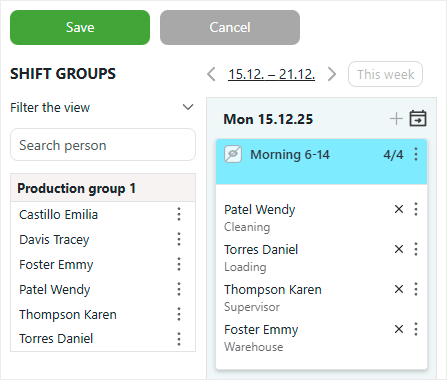
The redesigned view is more spacious and quicker to scan through. The layout of features has been simplified to make shift planning as smooth as possible.
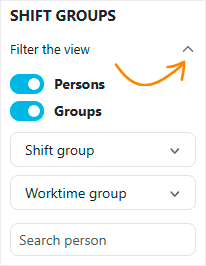
All filters in one place
All options for filtering persons can now be found under the Filter the view section. A small arrow icon lets you show or hide filters as needed. The view stays tidy, and key functions are conveniently grouped together.
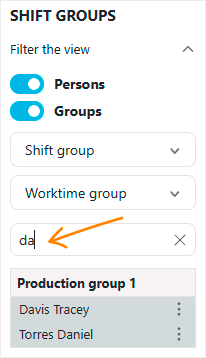
Person search speeds up planning
The new search function helps you find the right person quickly. Just type a name or person number into the search field and the matching person appears immediately!
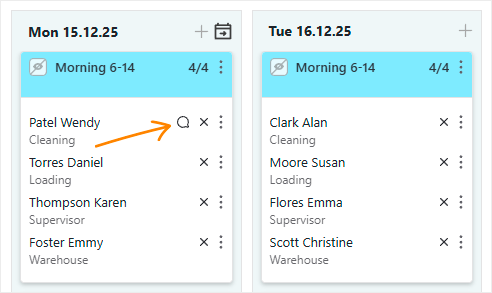
Messages and shift visibility at a glance
If a message is written for a shift, it now appears as a small speech bubble next to the person’s name, so important notes won’t go unnoticed.
In addition, a new eye icon has been added to shifts, showing at a glance whether the shift is visible to employees. This replaces the previous toggle – it takes up less space and fits better with the overall design.
Repeat previous move – now easier to access
The Repeat previous move function is now found directly in the shift header, no longer hidden in menus. You can use it to copy your most recent action – either an individual’s shift or a full week’s plan – to the following shifts or weeks.
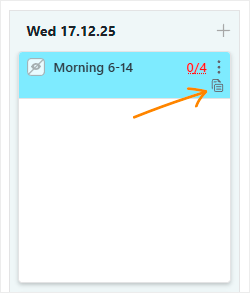
This function especially speeds up planning in recurring situations.
Smoothly navigate to another week
Switching to a specific week is now faster than before. Click the dates in the upper left corner to open the calendar. The view changes immediately when you select a date.
The calendar structure has also been simplified: returning to the current day’s view takes just one click.
Work time tracking and more flexible absence entries
New features make registering absences and working hours smoother than ever – especially in cases where the collective agreement requires paying shift allowances also during sick leave.
Three new options make registering easier:
- One event is enough for a sick leave
A sick day can now be recorded with just an entry event – no exit needed. The employee simply records the sick leave at the beginning of the workday. In the event settings, you need to enable handling by default shift length and allowance entry from the entry rule. This way, the shift ends automatically according to the default length, even if there is no clock-out. - Dynamic absence with multiple pay types
A dynamic absence created via a clock-out event allows several pay types to be recorded at once. This way, upcoming absence days and related allowances are logged automatically. - Multiple pay types for a single absence day
It’s now possible to add several different pay types to one absence day. This brings flexibility not only for sick leaves but also for other situations where multiple entries are needed on the same day.